
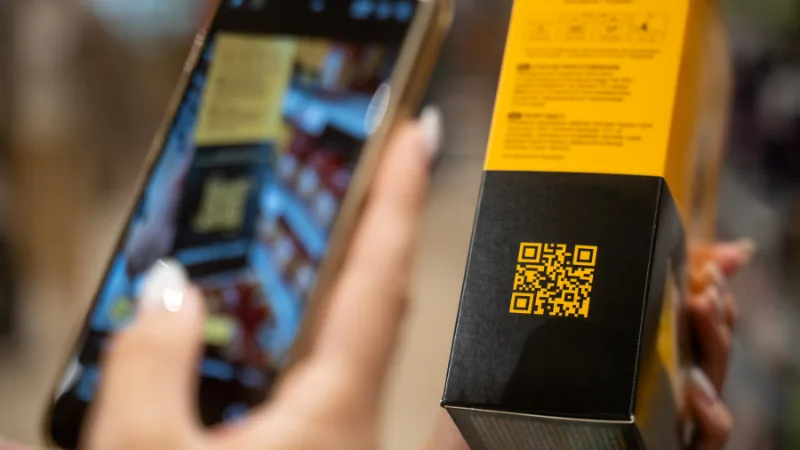
Imagine your marketing is a storefront.
A QR code is the door.
Most businesses still use the default door: a plain, black-and-white square that works, but does not match the storefront, does not invite people in, and often gets ignored.
AI-generated QR codes are the same door, just redesigned. The lock still works (it scans), but the door now looks like your brand, fits your campaign, and makes people curious enough to open it.
In this blog, we will keep that “storefront door” analogy running end to end, so the concept stays simple even if you are brand new to QR codes.
What “AI-generated QR code” actually means (in plain English)
When people say “AI-generated QR codes,” they usually mean one of two things:
- AI-styled (artistic) QR codes
The QR code is blended into an image, pattern, or illustration using generative AI, while staying scannable. Think: a door painted like your brand’s mural, but the key still turns. - AI-assisted QR campaigns
The QR itself might be standard, but AI helps you generate better landing-page copy, personalize destinations, auto-generate variations for different audiences, or even suggest what to test next. Think: the same door, but a smarter welcome desk inside.
Most businesses get value from both, but the biggest visible upgrade is the first one: turning an “ugly door” into a “branded door” without breaking the lock.
Why QR codes are everywhere again (and why businesses care)
QR codes are not new. What changed is behavior.
- Scanning is now a default habit for millions of people, especially after contactless menus and payments became mainstream.
- Marketers also report using QR codes more than they did a year ago, which matters because it signals QR is no longer “experimental signage,” it is a standard conversion path.
In storefront terms: foot traffic increased, so improving your door suddenly has real ROI.
The core business value: QR codes reduce friction
A QR code is a shortcut. It removes typing, searching, and “I will do it later.”
But here is the catch:
A shortcut only works if people notice it and trust it.
That is why AI-generated QR codes are interesting for business. They help with the two biggest blockers:
- Attention: “This looks worth scanning.”
- Trust: “This looks like the real brand, not a random sticker.
Famous brands using QR codes like a conversion door (and one using AI QR art)
Coca-Cola: turning QR codes into art (AI-generated QR codes in the wild)
Coca-Cola used illustrative, AI-powered QR codes as part of its Coke Studio push, placing them in out-of-home contexts like theaters and stadiums. The codes were designed to be more visually attractive than standard QR grids, while still scanning into content tied to the campaign.
Storefront lesson: they did not change the “door.” They changed how inviting the door looked.
Coinbase: the simplest QR door, broadcast to millions
Coinbase’s Super Bowl spot was essentially a bouncing QR code that drove viewers to a landing page and offer. The volume was so intense it drew massive attention and traffic.
Storefront lesson: a door can work even when it is plain, if you put it in the middle of the street with a spotlight.
Burger King: gamifying the scan with “QR Whopper”
Burger King ran TV spots where a QR code floated on screen. Catching and scanning it led people to deals and app actions.
Storefront lesson: they made opening the door feel like a game, not a task.
Domino’s (Indonesia): QR codes as a loyalty trigger, routed into WhatsApp
Domino’s used QR codes on pizza boxes to drive loyalty engagement, sending customers into a WhatsApp-based flow.
Storefront lesson: the door opened into the exact room customers already liked hanging out in.
Where AI-generated QR codes fit best (use cases that make sense for TOFU teams)
If you are early in learning this topic, start with use cases where the “door” is obvious.
1) Posters, flyers, standees (offline to online)
- Event RSVP
- Webinar registration
- Free trial / demo request
- Download a syllabus, brochure, or price list
AI advantage: you can generate a QR that visually belongs on the poster, instead of looking pasted on.
2) Packaging and inserts (product to community)
- Scan for setup instructions
- Warranty registration
- Referral program
- “Get 10% off your next purchase”
AI advantage: the code can resemble your packaging style, making it feel like part of the product, not an afterthought.
3) Education and training (perfect fit for EdTech brands)
- “Scan to join the course community”
- “Scan to unlock lesson 1”
- Attendance check-in
- Certificate verification landing page
4) Retail and service locations
- Scan to review us
- Scan to book an appointment
- Scan for menu, offers, or waitlist
AI advantage: the QR can match the vibe of the space, which increases scan intent.
The “AI QR code” checklist: how to build a branded door that still opens
Here is the simplest workflow that works for most businesses.
Step 1: Decide what room the door opens into
Before design, decide the destination:
- A landing page (recommended)
- A form
- A WhatsApp chat
- An app deep link
- A video
Rule of thumb: Do not send people into a messy room. If the landing page is slow, confusing, or not mobile-friendly, a beautiful QR code will not save it.
Step 2: Choose static vs dynamic (this is bigger than it sounds)
Think of it like this:
- Static QR = a door welded shut to one room forever
- Dynamic QR = a door where you can change what room it opens into later
Dynamic QR codes also help with tracking and updating links without reprinting materials.
Step 3: Generate a “clean” QR code first
Even if you want AI art, start with a normal QR code. This is your lock mechanism.
QR codes follow an international standard, which is why scanning works across devices.
Step 4: Use AI to style it (without destroying scannability)
This is where businesses get excited and also where they break things.
To keep the door functional:
- Keep strong contrast
- Keep a clear border (the “doormat” area around the code, often called the quiet zone)
- Do not over-texture the key anchor patterns
- Test, then test again
If you are using diffusion tools, this is often done with techniques like ControlNet-style constraints so the QR structure remains intact. That approach is referenced in real brand work like Coca-Cola’s campaign.
Step 5: Add the sign next to the door (CTA matters more than the QR)
Most QR codes fail because there is no reason to scan.
Instead of “Scan me,” use:
- “Scan to see the 30-second demo”
- “Scan to get the free template”
- “Scan to unlock lesson 1”
- “Scan to claim the student discount”
The sign sells the room, not the door.
Step 6: Measure what happens after the scan
At TOFU, measurement can stay simple:
- Scans
- Landing page views
- Form starts
- Conversions
If you use dynamic QR, tracking becomes easier because the code itself can carry analytics on the platform.
The risk nobody tells you about: “quishing” and trust
In storefront language: if your customers are trained to open random doors, scammers will build fake doors right next to yours.
QR code phishing (often called “quishing”) is a known issue. The FTC has warned that malicious QR codes can send users to spoofed sites or malware.
UK and Irish cyber agencies have also published guidance on QR risks and practical safety checks.
How businesses reduce this risk (simple moves)
- Use your brand domain clearly on nearby text (trust signal)
- Avoid sketchy short links
- Put QR codes where tampering is hard (not loose stickers in public)
A practical example you can copy
You are running a free workshop: “AI Literacy for Teams.”
Your old door: a standard QR code on a poster that says “Scan to register.”
Your upgraded AI door:
- AI-generated QR code that visually resembles a graduation cap or a classroom icon in your brand palette
- CTA: “Scan to reserve a seat. Takes 10 seconds.”
- Dynamic destination: if your form changes, you update without reprinting
- Landing page: one-screen mobile form, zero clutter
- Follow-up: scan triggers a “Add to calendar” confirmation
This is not futuristic. It is just a good conversion design with a better-looking door.
What to avoid (so you do not accidentally build a door that will not open)
- Over-designing the QR
If it looks amazing but fails on half of phones, it is not a door, it is wall art. - Printing too small
A tiny door handle is hard to grab. Size for the real viewing distance. - Sending people to a generic homepage
That is like opening the door into a warehouse with no signs. - Skipping context
A QR code without a CTA is a door with no label.
Final takeaway: build a better door, then build a better room
AI-generated QR codes are not magic. They are a design upgrade to a very practical conversion tool.
If you remember one idea, make it this:
A QR code is a door.
AI helps you design a door people actually want to open.
But the conversion still depends on what you put inside the room.
Quick FAQ
Do AI-generated QR codes scan as reliably as normal ones?
They can, if you respect QR structure and test across devices. Brand campaigns have used AI-styled QR successfully in public settings.
Do I need AI to make a branded QR code?
No. You can customize colors and add logos without AI. AI becomes useful when you want the QR to look like part of an illustration or campaign visual.
Are QR codes secure?
QR codes are just containers for data, usually a link. Security depends on where that link goes and how you protect users from spoofing and tampering.